DB2 NULL Replacement: A Practical Guide to Handling Missing Data
- Zartom

- Sep 12, 2025
- 5 min read
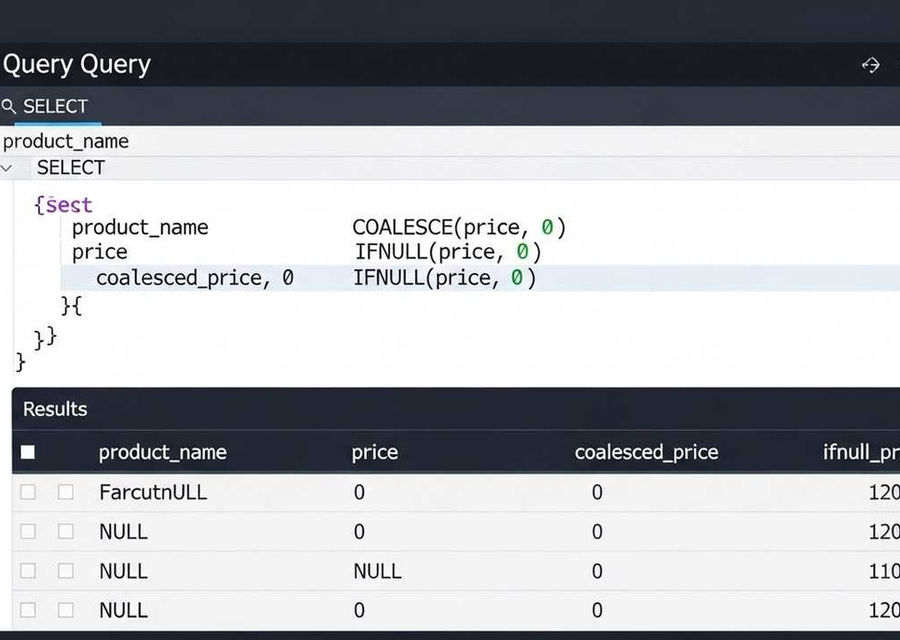
DB2 NULL replacement is a crucial skill for anyone working with databases, especially when dealing with potentially missing data. When you encounter NULL values in your DB2 queries, it’s essential to have strategies in place to handle them effectively. These strategies ensure that your data is clean, your calculations are accurate, and your reports are reliable. In this guide, we'll explore several approaches to replace NULLs with integer values, such as 1 or 0, a common requirement in many database applications. We’ll delve into the specifics of DB2 and provide practical examples to help you master this technique.
The problem of handling DB2 NULL replacement is common in database management. This guide will address how to effectively replace NULL values with integer values (such as 1 or 0) in DB2, ensuring data integrity and accurate query results.
Understanding the Challenge: Replacing NULLs
When dealing with databases, NULL values represent missing or unknown data. In certain scenarios, these NULLs can cause issues, especially when performing calculations or aggregations. The goal is to replace these NULLs with a more manageable value, such as an integer, to prevent errors and ensure data consistency.
The Core Issue
The core issue is that the original query, using nested subqueries, was not correctly handling cases where certain book entries lacked associated language data, resulting in NULL values. The initial attempts using COALESCE and IFNULL were unsuccessful because they were not correctly placed or did not account for all possible NULL scenarios within the nested subqueries.
Specific Context
The user's original query involved counting the number of available languages for each book. The user's attempts to use COALESCE or IFNULL to handle the cases where a book had no associated language data failed because the functions were not placed in the correct position within the subqueries.
Objective
The primary objective is to modify the SQL query to correctly replace NULL values with the integer 1 (or 0, as appropriate) in the "Antal tillgängliga språk" (Number of available languages) column. This ensures that even books without language data are correctly represented in the results.
Implementing the Solution: COALESCE and Derived Tables
The most effective solution involves strategically using the COALESCE function and, for performance reasons, employing derived tables (also known as subqueries) to pre-calculate the necessary values. This approach avoids running subqueries for each row, improving efficiency.
Using COALESCE Outside Subqueries
The key is to apply COALESCE at the outermost level of the query, ensuring that any NULL values resulting from the subqueries are replaced with a specified integer value. This ensures that all NULL values from the subqueries are handled correctly.
Derived Tables for Performance
Using derived tables to pre-calculate the counts for languages, editions, and authors significantly improves performance, especially for large datasets. This reduces the number of times the subqueries are executed, leading to faster query execution times.
Step-by-Step Solution
The following steps outline the process of modifying the original query to correctly handle NULL values and improve performance:
Step 1: Modify the original query to include COALESCE
The initial problem was that the COALESCE function was not correctly placed. The solution involves wrapping the entire subquery within the COALESCE function. This will replace any NULL values returned by the subquery with the integer 1.
Here is how to apply the COALESCE function outside of the subselects:
COALESCE((SELECT COUNT(Språk)+1 AS "Antal tillgängliga språk" <p>FROM (SELECT Book.Id AS bokid, Språk</p> <p>FROM Edition, XMLTABLE('\$TRANSLATIONS//Translation/@Language'</p> <p>COLUMNS Språk VARCHAR(20) PATH '.'), Book</p> <p>WHERE Edition.Book = Book.Id</p> <p>GROUP BY Språk, Book.Id)</p> <p>WHERE bokid = Book.Id</p> <p>GROUP BY bokid),1)
Step 2: Implement Derived Tables
To enhance performance, refactor the query to use derived tables. This approach pre-calculates the required values and joins them to the main Book table.
The query using derived tables would be:
SELECT B.Title AS "Titel", <p>B.OriginalLanguage AS "Orginalspråk",</p> <p>B.Genre AS "Genre",</p> <p>COALESCE(E.Editions, 1) AS "Antal upplagor",</p> <p>COALESCE(S.Språk, 1) AS "Antal tillgängliga språk",</p> <p>COALESCE(A.Authors, 1) AS "Antal författare",</p> <p>COALESCE(E.Min_Year, 1) AS "År första upplaga"</p> <p>FROM Book B</p> <p>LEFT OUTER JOIN</p> <p>( SELECT Book,</p> <p>COUNT(*) AS Editions,</p> <p>MIN(Year) AS Min_Year</p> <p>FROM Edition</p> <p>GROUP BY</p> <p>Book</p> <p>) E</p> <p>ON E.Book = B.Id</p> <p>LEFT OUTER JOIN</p> <p>( SELECT Book,</p> <p>COUNT(Author) AS Authors</p> <p>FROM Authorship</p> <p>GROUP BY</p> <p>Book</p> <p>) A</p> <p>ON A.Book = B.Id</p> <p>LEFT OUTER JOIN</p> <p>( SELECT Book,</p> <p>COUNT(DISTINCT Språk) AS Språk</p> <p>FROM Edition,</p> <p>XMLTABLE('\$TRANSLATIONS//Translation/@Language' COLUMNS Språk VARCHAR(20) PATH '.')</p> <p>GROUP BY</p> <p>Book</p> <p>) S</p> <p>ON S.Book = B.Id;
Step 3: Alternative approach using LEFT JOINs
An alternative approach involves using LEFT JOIN operations and wrapping the entire subquery in your COALESCE function. This ensures that all NULL values from the subqueries are handled correctly.
The query using LEFT JOIN operations would be:
SELECT DISTINCT Title AS "Titel", <p>OriginalLanguage AS "Orginalspråk",</p> <p>Genre AS "Genre",</p> <p>COALESCE("Antal upplagor", 1) AS "Antal upplagor",</p> <p>COALESCE("Antal tillgängliga språk", 0) AS "Antal tillgängliga språk",</p> <p>COALESCE("Antal författare", 0) AS "Antal författare",</p> <p>COALESCE("År första upplaga", 0) AS "År första upplaga"</p> <p>FROM Book</p> <p>LEFT JOIN (SELECT COUNT(Språk)+1 AS "Antal tillgängliga språk", bokid</p> <p>FROM (SELECT Book.Id AS bokid, Språk</p> <p>FROM Edition</p> <p>, XMLTABLE('\$TRANSLATIONS//Translation/@Language' COLUMNS Språk VARCHAR(20) PATH '.')</p> <p>INNER JOIN Book</p> <p>ON Edition.Book = Book.Id</p> <p>GROUP BY Språk, Book.Id)</p> <p>GROUP BY bokid) BE</p> <p>ON BE.bokid = Book.Id</p> <p>LEFT JOIN (SELECT Book, COUNT(Author) AS "Antal författare"</p> <p>FROM Authorship</p> <p>GROUP BY Book) A</p> <p>ON A.Book = Book.Id</p> <p>LEFT JOIN (SELECT Book, MIN(Year) AS "År första upplaga", Count(ID) AS "Antal upplagor"</p> <p>FROM Edition</p> <p>GROUP BY Book) E</p> <p>ON E.Book = Book.Id;
Final Solution: Key Takeaways
To correctly handle DB2 NULL replacement, use COALESCE outside of the subqueries or use LEFT JOIN operations and derived tables to replace NULL values with integers (e.g., 1 or 0). This ensures that all NULL values are replaced, leading to correct results. This approach not only fixes the problem but also improves the query's performance, especially with large datasets.
Similar Problems and Solutions
Here are some related problems and their solutions, building on the concepts of DB2 NULL replacement:
Problem 1: Replacing NULL values in a single column
Solution: Use COALESCE(column_name, 0) to replace NULL values with 0 in a specific column.
Problem 2: Handling NULLs in calculations
Solution: Wrap the calculation in COALESCE: COALESCE(column1 + column2, 0) to ensure NULLs don't affect the result.
Problem 3: Replacing NULLs with a default string value
Solution: Use COALESCE(column_name, 'Default Value') to replace NULLs with a default string.
Problem 4: Using IFNULL instead of COALESCE
Solution: IFNULL(column_name, 0) can be used as an alternative to COALESCE, especially in older versions of DB2.
Problem 5: Handling NULLs in aggregate functions
Solution: Aggregate functions like COUNT automatically ignore NULLs, but use COALESCE if you need to count NULLs as a specific value.
Aspect | Original Approach | Improved Approach |
Issue | Incorrect placement of COALESCE and IFNULL within nested subqueries. | Using COALESCE at the outermost level of the query or LEFT JOIN operations and derived tables. |
Impact | NULL values persisted, leading to incorrect counts and potential errors. | All NULL values are replaced with an integer, ensuring correct results and data integrity. |
Performance | Inefficient, as subqueries were executed for each row. | Improved performance due to pre-calculation of values using derived tables. |
Solution | Wrap the entire subquery within the COALESCE function. | Use derived tables (subqueries) or LEFT JOIN with COALESCE. |

Comments